Where every charge comes from
Summary
In Cargoflow almost no charge is typed in billing. Charges are born in operations: when a receipt is confirmed, when a shipment is marked as shipped, when someone captures an accessorial, when a special job is completed and every night for daily storage. Each charge keeps its customer, service, quantity, rate, currency and the document it came from, and lands in the Services to Invoice pool. The invoice comes from there, and from the invoice, the file for accounting.
This article is the full map. When a customer asks «where did this charge come from?», or when a charge you expected did not appear, this is the path to find out.
The origin map
| Origin | When | Service | Quantity | Condition to be charged |
|---|---|---|---|---|
| Receipt | On confirmation | Receiving handling | What was received, in the rate’s unit (pallet, carton, piece or pounds) | The customer has it on their rate card |
| Shipment | When marked shipped | Shipping handling | What was picked, per customer of each line | The customer has it on their rate card |
| Cross-dock | When the outbound is marked shipped | Cross-dock handling, or Shipping handling if they lack it | What was picked | Either one on their rate card |
| Storage at shipment | When the shipment is marked shipped | Storage | Pallets × days since entry, minus free days | Always, unless the customer excludes it |
| Daily storage | Every night, 2:00 AM | Storage | Pallets past their free days | Customer on daily accrual |
| Automatic services | On receipt confirmation or shipment | Whatever the customer has set for that moment | From the document, or captured on the invoice | Set on their rate card or in the catalog |
| Accessorial | On capture (or on shipment, if tied to an open shipment) | The one linked to the accessorial | As captured | Always, unless excluded on the rate card |
| Special job | On completion (services) or on save (the type’s accessorial) | The job’s services | Each line’s | The job has a customer |
| Manual line | When added on the invoice | Any catalog service except handling and storage | As captured | Permission to operate billing |
Before you start
- Module: without Billing on in the warehouse, no charge is created. Captures (accessorials, jobs) are still saved, but they produce nothing to bill.
- Permissions: seeing the pool and invoices needs view billing (Super Admin, Admin, Accounting); generating, editing and recording payments needs operate billing (the same three); exporting the pool to Excel or CSV needs export billing (Super Admin and Accounting); voiding and deleting invoices, Super Admin and Admin.
- Setup: the warehouse service catalog with base prices, the customer’s rates and their payment terms. See Rate cards and pricing.
Each origin, one by one
Receiving handling
Created when a supervisor confirms the receipt. The quantity comes from what was received according to the rate basis: pallets, cartons, pieces or pounds (weight captured per line or, if missing, units times the product’s catalog weight). The charge date is the receipt’s actual receiving date, even if it is confirmed days later, so it falls in the right period.
It is only charged if the customer has the service on their Pricing tab. The catalog never charges handling on its own. If a confirmed receipt is later corrected, the pending charge is recalculated with the new quantity. See Cancelling or correcting a receipt.
Shipping handling
Created when the shipment is marked as shipped, not when the dock job ends. It is charged on what was picked. If lines from several customers travel on the same shipment, each customer pays their own part in their own charge. Like receiving handling, it requires the customer to have it on their rate card. See Closing a shipment.
Cross-dock
A cross-dock is a single move with two documents. The inbound receipt does not charge handling; everything is charged when the outbound is marked shipped: with the Cross-dock handling service if the customer has it contracted, or with Shipping handling if not. The staging location never accrues storage. Accessorials captured on the cross-dock detail follow the rules below. See How a cross-dock is done.
Storage in its two modes
A customer pays storage in exactly one of two ways, chosen in the Auto charge column of their storage row (or, if it says nothing, the catalog’s):
| At shipment | Daily accrual | |
|---|---|---|
| When it is created | When each shipment is marked shipped | Every night at 2:00 AM |
| What it counts | What left: per picked lot, calendar days from its entry to the ship date, minus free days | Everything in the warehouse already past its free days |
| Unit | Pallet-days (pieces are converted with each product’s pallet unit) | Pallets for the day |
| Document | The shipment | None: grouped by customer and day |
| Minimum and maximum | On every invoice | Monthly, only for customers invoiced monthly |
Unlike handling, storage is charged to everyone at the base price even if it is not on their rate card. To not charge it, pick the do-not-charge-storage option on its row. If a customer moved from daily to at-shipment, the system does not charge twice the days already accrued.
Services charged automatically at receipt or shipment
Any rate card service can be set in Auto charge to «Charge at receipt» or «Charge at shipment» (or inherit that from the catalog). It then travels on the invoice of every receipt or shipment of that customer:
- If the quantity can be derived from the document (pieces, weight, flat rate), the charge is created on its own.
- If not (hours, days, cost), it shows on the invoice as a charge to capture so you type the quantity. For per-day services the system suggests the days of stay minus free days.
Accessorials
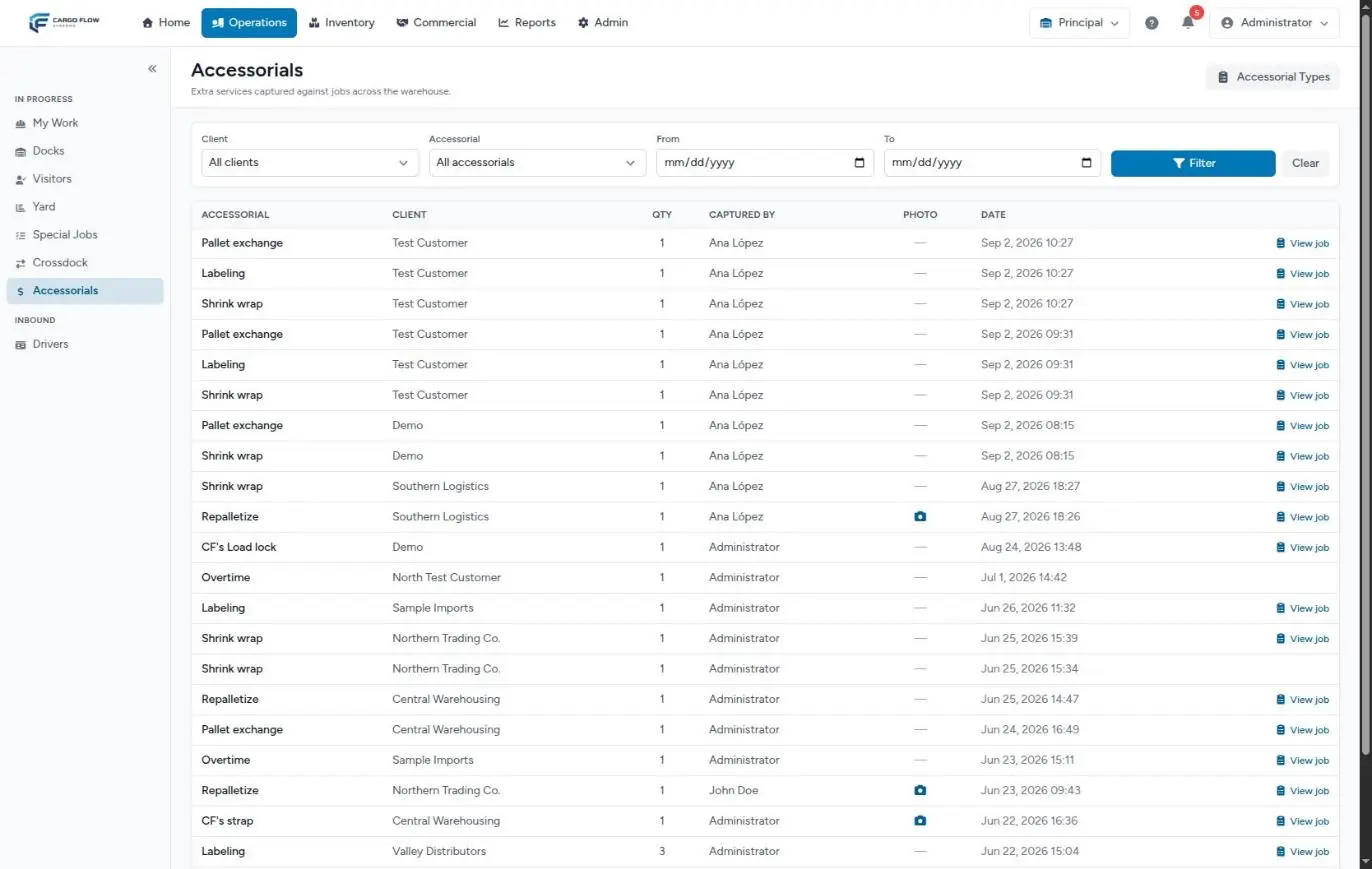
An accessorial is an extra service captured on the spot: shrink wrap, repalletizing, labeling, pallet exchange, overtime. It can be captured in several places, and each one changes which invoice it goes on:
| Where it is captured | Who | When it enters the pool |
|---|---|---|
| Operator app, when finishing their dock job | The assigned worker | On capture; if the job belongs to an open shipment, when it is marked shipped |
| Dock job detail | Supervisor | Same |
| Receipt or shipment detail without a dock job | Supervisor only | On capture (one for an open shipment waits for it to ship) |
| Cross-dock detail | Supervisor | With the outbound |
| Special job whose type has a linked accessorial | Automatic when the job is saved with a customer | On save |
On a truck with several documents, whoever captures picks in «Charge to» the document (the charge goes on its invoice) or the whole truck (separate invoice). If the job carries goods of several customers, they pick who is charged. If the shipment is cancelled, its accessorials are not charged. See Accessorials and extra charges and Capturing an accessorial.
Special jobs
A special job (cleaning, repacking, a count for a customer) is charged in two ways that can be combined: the accessorial linked to its type, created when the job is saved with a customer, and the billable services added on its edit screen, created when it is completed. Completing it again reprices without duplicating; cancelling it voids its unbilled charges. See Special jobs.
Lines added by hand on the invoice
On an invoice detail, + Accessorials & charges adds any catalog service with its quantity; the rate is filled with the customer’s or the base price. To bill something that did not come from operations there is also the manual invoice (Invoices tab › New invoice). Two limits: handling and storage cannot be added by hand, because they would be duplicated, and there are no free-text charges: if the concept is missing, add it to the catalog first. See Invoices: editing and correcting.
How the price is decided
For each charge, the system looks for the price in this order:
- Did the customer exclude it? For storage, the do-not-charge option; in warehouses with the new rate card, «Do not charge (excluded)» on any service. If excluded, no charge is created.
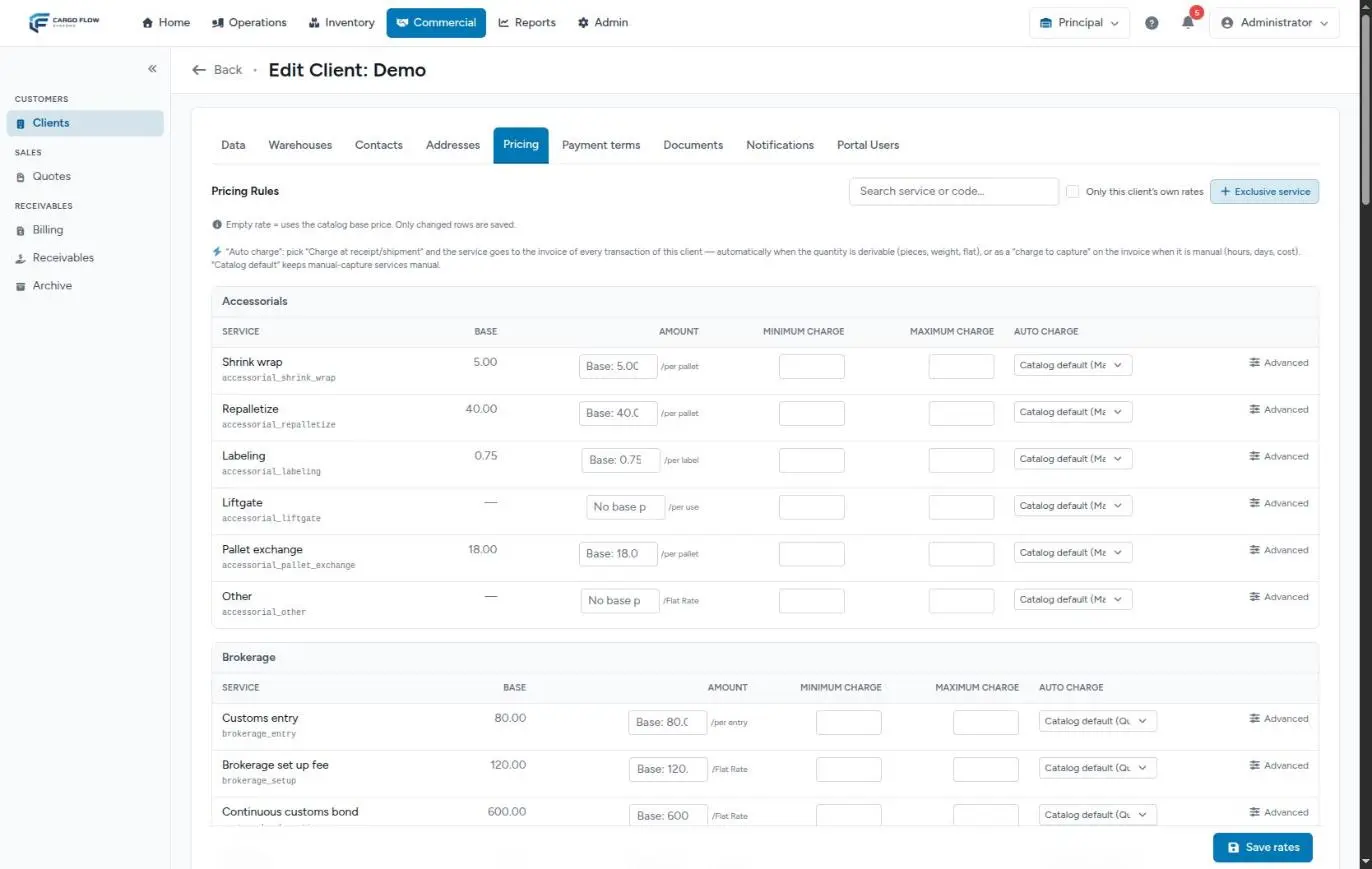
- Does the customer have a current rate? If their Pricing tab has an amount for the service and the charge date falls within its validity, that wins. Whatever they left empty (minimum, maximum, free days) comes from the catalog.
- Does the catalog have a base price? If the customer’s rate is empty or 0, the service base price is used. A 0 is not free.
- Neither? The charge is recorded without a rate and must be priced on the invoice. In warehouses with the new rate card, it stays off the invoice until someone prices it from its detail.
One important exception: handling never falls to step 3 if the customer has no row. Without a row, it is not charged.
When the invoice is generated, the minimum charge (a «Minimum charge — service» line for the difference) and the maximum charge (a negative «Maximum charge cap — service» line) are applied. The pool already shows the adjusted amount flagged Minimum or Cap.
The Services to Invoice pool
Commercial › Billing, Services to Invoice tab. Each row is a charge with its date, customer, service, source document (with a link), quantity, rate, amount and status (Pending or Invoiced). The arrow opens the Charge detail: the source document, the applied rate with a shortcut to the customer’s pricing, and everything the system stored when it created it.
What you do not see in the pool yet:
- Accessorials of a shipment not yet marked shipped: they are held.
- Charges that were never created because the customer had no handling contracted: there is nothing to hold.
From the pool to the invoice
Every night at 2:30 AM (after daily storage) and every time someone clicks «Generate invoices» or «Generate invoice from selected», pending charges are grouped into invoices:
- Per operation (receipt, shipment, job) for per-transaction, on-arrival and on-departure customers; one invoice per closed month for monthly ones.
- Currencies never mix: dollar and peso charges go on separate invoices.
- A late charge is added to the open invoice of the same operation, as long as it is not voided or exported to accounting.
If you remove a line from an invoice you choose where it goes: void the charge (never billed) or return it to pending (back to the pool). Voiding the whole invoice returns all its charges to the pool. See Generating invoices.
From the invoice to accounting
| Output | Where | What it contains | Watch out |
|---|---|---|---|
| Pool Excel and CSV | Billing header buttons | Charges with the current filters | Only Super Admin and Accounting, by default |
| Invoice CSV for QuickBooks | QuickBooks button or Receivables | One row per line of each unexported invoice | Marks invoices as exported: they can no longer be deleted or consolidated |
| Payments CSV | Receivables | Accumulated payments per invoice | Not incremental |
| Daily transactions and invoice report | Reports | Invoices with their services, in Excel | They do not filter by status |
See Exporting to QuickBooks and Warehouse reports.
Example: one month of one customer
Northern Trading Co. pays «Per transaction», storage at shipment with 5 free days at 0.75 per pallet per day, and Receiving handling and Shipping handling at 15.00 per pallet. They have no own rate for shrink wrap (base price 5.00) or repalletizing (base price 40.00).
| Day | What happened | Charge | Amount | Invoice |
|---|---|---|---|---|
| 3 | Receipt of 12 pallets confirmed | Receiving handling 12 × 15.00 | 180.00 | The receipt’s |
| 3 | The supervisor captures 2 repalletizings on the receipt | Repalletize 2 × 40.00 (base) | 80.00 | The receipt’s (added to the same one) |
| 10 | During loading the worker captures 4 shrink wraps | Held | — | — |
| 11 | Shipment of 4 pallets marked shipped | Shipping handling 4 × 15.00; Storage 4 × (8 − 5) = 12 pallet-days × 0.75; Shrink wrap 4 × 5.00 | 60.00 + 9.00 + 20.00 | The shipment’s, 89.00 |
| 20 | Labeling special job completed, 300 pieces at 0.75 (base) | Labeling 300 × 0.75 | 225.00 | The job’s |
| 28 | 2 hours of overtime added by hand on the shipment invoice | Overtime 2 × rate | per rate | The shipment’s |
What can go wrong
A receipt or shipment created no handling.
- The customer does not have that handling on their rate card. Add it; what was already confirmed is billed by hand on its invoice.
- It is the inbound leg of a cross-dock: it is charged on the outbound.
The accessorial is not in the pool.
- It belongs to a shipment that is still open: it appears when it is marked shipped.
- The shipment was cancelled, or the accessorial is excluded on the customer’s rate card.
- The warehouse does not have Billing on.
A charge came out «No rate».
- Neither the customer nor the catalog has a price for that service. Price it on the invoice and link the accessorial to a priced service for next time.
The base price was charged instead of the negotiated one.
- The customer’s rate is empty, 0 or outside its validity on the charge date.
Storage came out inflated.
- A product has no pallet unit and every piece counted as a pallet.
The amount is not quantity × rate.
- A minimum or maximum was applied: look for the flag in the pool and the adjustment line on the invoice.
I do not see the Export Excel and CSV buttons.
- Your role lacks the export billing permission; by default not even Admin has it.
Best practices
- Link every catalog accessorial to a priced service.
- Put handling on every customer’s rate card from day one.
- Mark shipments as shipped on the real ship date: storage is calculated from it.
- Capture accessorials on the right document: it decides which invoice they go on.
- Review the pool per customer before each cutoff and fix things at the source, not on the invoice.
Frequently asked questions
Can I add a charge to the pool without a document?
Not directly. Capture it as an accessorial on the right document or job, or add it as a line on an invoice (existing or manual).
What happens to accessorials if the warehouse has no billing?
They are captured and kept with their evidence, but no charge is created. Turning billing on later does not bill what was captured before.
What happens to the charges of a cancelled document?
Accessorials of a cancelled shipment are not billed. Cancelling a special job voids its unbilled charges. If the charge was already on an invoice, remove it from the invoice.
If I correct a confirmed receipt, is the charge corrected?
If the charge is still pending, yes: it is recalculated with the new quantity. If it was already invoiced, correct the line on the invoice.
Need help?
If something did not work as expected, our support team can help you.
Was this article helpful?