One-time items
Overview
A third-party warehouse gets goods nobody set up: an unlabeled pallet, mixed freight, a loose shipment. To store, count and ship them, the system needs everything received to be a product. A one-time item is that product, created on the fly from the description at receiving time.
It works like any product (it enters stock, gets reserved, shipped and billed), but it is flagged so it does not clutter the customer’s catalog: it is not suggested on future receipts and the product list hides it.
Before you start
- Who creates them: whoever captures a receipt (the receipt capture permission, which Worker, Supervisor, Admin and Super Admin have by default).
- Where to see them: Inventory › Products with Show one-time items ticked (Manage Inventory Catalogs).
- The receipt must not be cancelled.
How they are born
- From the capture’s line bar — type the item’s description (for example “Mixed spare parts unlabeled”). If it matches no product, the list offers Add item: “…”. Choosing it creates the one-time item with a generated SKU and adds the line.
- From the Find a product window — the Create new: “…” option comes with the Use once checkbox (ticked during receipt capture: “Won’t be suggested as a SKU in future receipts.”). Clear it if what you are creating is really a catalog product.
- From the dock job — when the operator writes item rows in the operator app and the job is finished, those rows move to the linked receipt as one-time items (see The operator app).
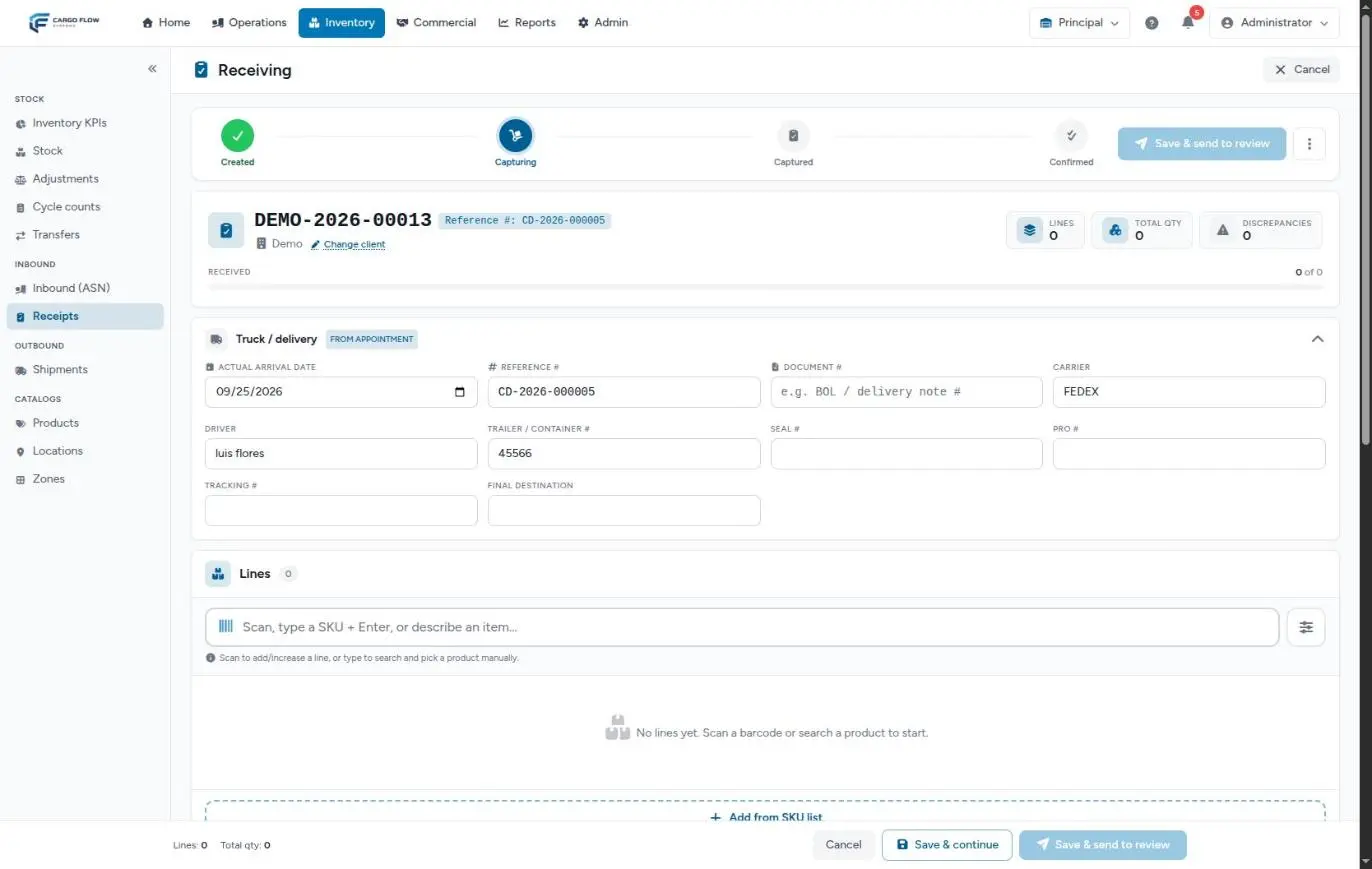
The item is born active, under the receipt’s customer, with base unit each (piece), no packaging, no weight and no tracking flags.
The generated SKU
- If you type a SKU and it already exists (the customer’s or a global one), nothing is created: that product is used, as if you had picked it from the list.
- If you type no SKU, one is built from the description: in capitals, without accents, spaces and symbols turned into dashes, cut to 16 characters and followed by a three-digit sequence. “Mixed spare parts unlabeled” becomes
MIXED-SPARE-PART-001; the next one starting the same way,MIXED-SPARE-PART-002. - The sequence is unique across the whole warehouse, not per customer.
Where they show up and where they do not
| Screen | Behavior |
|---|---|
| Product list | Hidden. Show one-time items reveals them with the One-time badge; next to the checkbox you see how many are hidden. |
| ASN and receipt search | Never suggested. |
| Shipment and inventory search | Shown only while they have stock; once fully shipped, they stop appearing. |
| Stock | Like any line, with the generated SKU. |
| Inventory dashboard | Counted in Active SKUs. |
| Billing | Charged as loose pieces (no pallet or pack) and without weight. |
What the customer sees
The generated SKU is an invented code the customer never gave and would not recognize. So in the portal (inventory, receipts and shipments) the customer sees the item’s description and a blank SKU column (“—”). The goods are theirs and they see them; only the code stays internal. See Inventory and KPIs in the portal.
If the customer creates a product from their portal (for example, when sending a notice), that product is always a catalog product, never a one-time item.
Example
A truck arrives for Southern Logistics with 18 pallets of cataloged product and one extra unlabeled pallet of mixed spare parts. During capture, the operator types “Mixed spare parts unlabeled” and chooses Add item. MIXED-SPARE-PART-001 is created with quantity 1. On confirmation it enters stock in the chosen location. In the portal, Southern Logistics sees the line with the description and its quantity, without a SKU. Two weeks later they order it on a shipment: the shipment search shows it because it still has stock; once the shipment closes, it no longer appears.
Special cases and limits
- They cannot be converted into catalog products: the product page has no such option.
- Charged per piece: if the customer pays storage per pallet, an item with no pallet level is counted per piece. You can edit its page and add packaging before the billing cut-off.
- No lot: they are born with no flags; if the goods needed a lot, they were a catalog product.
- Repeated descriptions: every time someone describes the same thing a new item is born with another sequence number; they do not merge on their own.
Best practices
- Use them only for goods that truly will not repeat. If the customer will send that product again, add it to the catalog.
- Write descriptions the customer will recognize: it is all they will see.
- Review the list with Show one-time items every month: the ones that repeat are catalog candidates, and the ones with no stock left can be deleted.
Troubleshooting
I cannot find a received item in the product list.
- It is a one-time item. Tick Show one-time items.
The customer says the portal shows lines with no SKU.
- They are one-time items; the generated SKU is hidden on purpose. If the customer has a code for those goods, add them with that code for next time.
When receiving the same goods again, they do not appear in the search.
- One-time items are not suggested on receipts. Create the catalog product and use it from now on.
“Could not create the item. Please try again.”
- It is usually the connection or an expired session. Reload the capture (what was saved is not lost) and add it again.
Frequently asked questions
Can I turn a one-time item into a catalog product?
Not directly. Create the catalog product and, in the same location, record two adjustments with a note tying them together: a negative one on the one-time item and a positive one on the new product. Both histories stay documented.
Can they be deleted?
Yes, once they have no stock: in the product list, with Show one-time items, use the bin or the bulk delete. Their movement history is kept.
Need help?
If something did not work as expected, our support team can help you.
Was this article helpful?